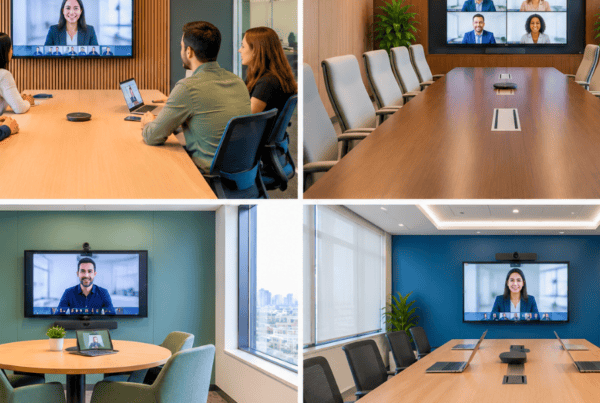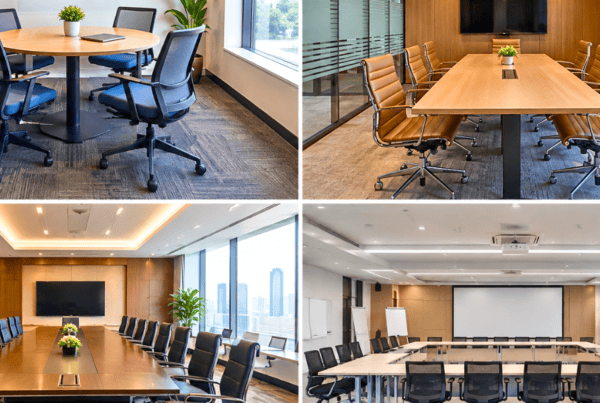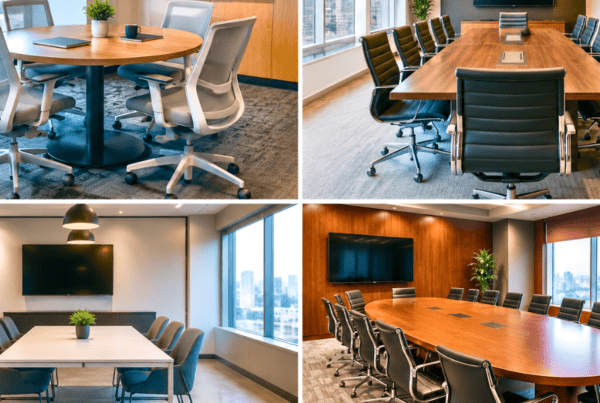
A boardroom meeting is about to begin. The presenter plugs in a laptop, only to find the battery at 8 percent and no socket within reach. Someone else is crawling under the table to find an extension board, while a tangle of HDMI and charging cables snakes across the polished surface. These small frictions cost time, break focus, and make even a well-designed meeting room feel unprepared.
This is why power and data ports in conference tables has moved from a luxury to a baseline expectation. Today’s meetings rely on laptops, tablets, smartphones, video conferencing units, wireless presentation systems, and collaboration displays. Every one of these devices needs power, and many need a wired data connection. A well-planned setup of conference table power ports keeps the table clean, the devices charged, and the meeting moving.
In this guide, we walk through the types of port solutions available, how to plan the layout, a step-by-step installation walkthrough, common mistakes to avoid, and answers to the questions facility teams ask most often. Whether you are an office manager upgrading a meeting room, an interior designer specifying furniture, or a procurement head evaluating vendors, this guide will help you make confident decisions.
Why Power and Data Integration Matters in Modern Conference Tables
For years, a conference table was simply a large, handsome surface. Its job was to look good and seat people. That is no longer enough. Modern Conference & Meeting Room Furniture is expected to perform as part of the technology ecosystem of the room.
Consider what happens in a typical meeting today. Participants arrive with laptops that need charging after a day of travel. A presenter needs to connect to the display through HDMI or USB-C. A remote participant joins through a video conferencing unit that needs both power and a LAN connection for stable bandwidth. Without integrated ports, each of these needs is solved with temporary fixes: extension cords, floor-mounted power strips, adapters, and loose cables. These create trip hazards, look unprofessional in front of clients, and make cleanup after every meeting a chore.
The demand for smart, connected workspaces is rising steadily across India’s corporate sector. Companies investing in premium office interiors increasingly expect their office furniture to support hybrid work, seamless presentations, and a tidy aesthetic. Integrated power and data ports address all three.
Vlite Furnitech, a modular office furniture manufacturer, has seen this shift first-hand. Its conference tables are designed with functionality built in from the start, and the manufacturing is backed by BIFMA certification, which speaks to quality and safety standards that matter when electrical components are embedded in furniture.
Types of Power and Data Port Solutions for Conference Tables
There is no single best solution. The right choice depends on room size, table shape, usage patterns, and budget. Here are the four main options.
1. Pop-Up Power Boxes (Conference Table Pop Up Box)
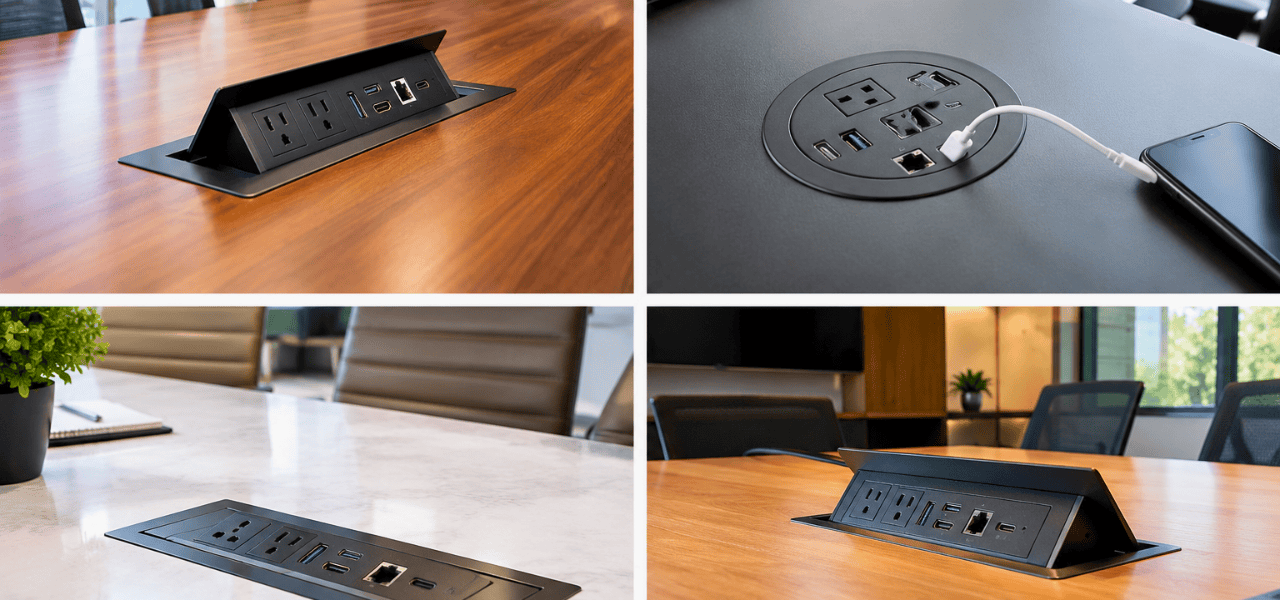
A conference table pop up box is a flush-mounted unit that sits level with the tabletop when not in use and rises when someone needs to connect. When closed, the table surface looks seamless and uncluttered. When opened, it reveals a panel of connections.
A typical pop-up box includes:
- AC power sockets for laptops and chargers
- USB-A and USB-C charging ports
- HDMI for display connectivity
- RJ45 (LAN) for wired internet
- A 3.5mm audio jack
Best for: Large boardrooms, executive conference tables, and any room where the table is a visual centerpiece. Because the unit retracts, it preserves the clean lines that premium meeting rooms demand.
Customizable pop-up configurations are available from manufacturers such as Vlite Furnitech, allowing you to choose the exact mix of ports instead of settling for a standard layout.
2. In-Table Cable Ports (Cable Port Meeting Table)
A cable port meeting table uses fixed grommets or flip-cover ports built directly into the tabletop surface. These are lower-profile than pop-up boxes and are commonly used to pass cables from beneath the table up to the surface, or to house a small set of connections.
Key characteristics:
- Fixed or flip-cover design that sits flush with the surface
- Allows laptop cables and power cords to pass through without trailing over the table edge
- Lower cost and simpler installation than pop-up units
- Ideal for smaller meeting rooms, huddle spaces, and training rooms
If your meeting rooms seat four to eight people and do not need extensive built-in connectivity, grommet-style cable ports are a practical and economical solution.
3. Sockets and Modular Socket Panels (Socket in Boardroom Table)
A socket in boardroom table setup involves recessed electrical socket panels mounted flush with the tabletop. These panels hold standard power sockets, sometimes combined with USB charging ports, in a neat rectangular unit.
Advantages include:
- Integrated design that maintains clean boardroom aesthetics
- Direct access to power without adapters
- Options for surge-protected and ISI-marked components, which are important for safety and compliance in India
Modular socket panels are a good middle path. They offer more power access than basic grommets, without the mechanical complexity of a pop-up mechanism.
4. Wireless Charging Pads
Wireless charging pads built into the tabletop are a growing trend in premium modular office furniture. These work with Qi-compatible smartphones and accessories, allowing participants to charge simply by placing a device on a marked zone.
Wireless charging works best as a supplement rather than a replacement. Laptops still need wired power and presenters still need data connections, so wireless pads are typically combined with one of the wired options above. They add convenience and a modern touch, particularly in client-facing boardrooms.
How to Plan the Power and Data Layout for Your Conference Table
Good planning is what separates a smooth installation from an expensive redo. Follow these five steps before ordering or installing anything.
Step 1: Assess Your Meeting Room Seating Capacity
Start with how many people the room will seat. A useful rule of thumb:
- Standard meeting rooms: one power/data unit for every 2 to 3 seats
- Executive boardrooms: one unit per seat, since participants expect personal access to power and connectivity
Also consider the table shape. Rectangular tables allow evenly spaced ports along both long edges. Boat-shaped and oval tables need ports positioned to follow the curve of seating. Modular tables, which can be reconfigured, require ports that work across multiple arrangements.
Step 2: Identify the Data and Power Requirements
List every device that will be used in the room. Typical examples include:
- Laptops and tablets
- Wall-mounted displays or projectors
- Video conferencing cameras and codecs
- Table microphones and speakerphones
- Wireless presentation dongles
Then distinguish between zones. The presenter end of the table usually needs full power plus data, including HDMI and LAN. Participant seats may only need power and USB charging. Mapping this out prevents over-specifying the whole table and keeps the budget focused.
Also future-proof your plan. USB-C is rapidly becoming the standard for laptop charging and display output, and demand for Thunderbolt-compatible connections is growing. A layout that includes only USB-A will feel dated within a couple of years.
Step 3: Choose the Right Port Configuration
Once you know the zones and devices, select the configuration. As a practical guideline, a 10-seat conference table typically needs 4 to 5 pop-up units or grommet panels spread along its length.
A recommended port mix per unit looks like this:
- 2 × AC power sockets
- 2 × USB-A ports
- 1 × USB-C port
- 1 × HDMI port
- 1 × RJ45 (LAN) port
This mix covers the majority of meeting scenarios. Manufacturers with modular customization, such as Vlite Furnitech, can tailor the exact configuration to your specifications, whether you need more USB-C ports for a design team or additional LAN ports for a video-heavy room.
Step 4: Plan Cable Management
Ports are only as good as the cabling behind them. Poor cable management defeats the purpose of integration. Plan for:
- Under-table cable trays and raceways that carry power and data cables to floor boxes or wall outlets
- Internal cable channels built into the table structure, which hide cables inside the legs or frame
- Color-coded or labeled cables so the IT and facility teams can identify connections quickly during maintenance
Tables designed with integrated cable channels from the factory offer a major advantage here, because the routing is planned as part of the furniture itself rather than added afterwards.
Step 5: Coordinate with Electrical and IT Teams
Furniture installation does not happen in isolation. Before finalizing the layout:
- Confirm that floor box locations align with the table’s leg placement, so cables can drop cleanly
- Verify earthing and surge protection requirements with your electrician
- For large installations, schedule a coordination meeting between the furniture vendor, the electrical contractor, and the IT team
This step is often skipped, and it is where many delays and rework costs originate. A short coordination call at the planning stage can prevent days of onsite adjustment later.
Installation Walkthrough: Setting Up Power Ports in a Conference Table
Here is a step-by-step walkthrough of how a power and data port setup is typically carried out. Where the table is factory-integrated, several of these steps happen before the table reaches your site.
Step 1: Confirm table placement and floor outlet positions
Position the table in its final location (or mark it precisely) and measure the distance from each port location to the nearest floor box or wall outlet. These measurements determine cable lengths.
Step 2: Mark cutout positions on the tabletop
Using the approved layout drawing, mark exactly where each pop-up box, grommet, or socket panel will sit. Double-check clearances from table edges, legs, and any structural supports underneath.
Step 3: Cut the tabletop openings
For factory-integrated tables, such as those from Vlite Furnitech, cutouts are made during manufacturing with precision machinery. For retrofit installations on existing tables, cutouts are made on site with the correct hole saw or router for the specific unit.
Step 4: Install the pop-up box or grommet panel
Fit the unit into the cutout and secure it using the mounting hardware supplied. Ensure it sits flush and that the mechanism (for pop-up units) moves smoothly.
Step 5: Route power cables through internal channels
Feed the power cables through the table’s internal cable management channels down to the floor box. Keep power and data cables separated where possible to reduce interference.
Step 6: Connect data cables
Run HDMI, LAN, and audio cables through the designated cable trays and connect them to the corresponding ports on each unit.
Step 7: Test every port before final placement
Check AC sockets for power, USB ports for charging, and data ports for signal. Testing at this stage means any fault can be fixed before the table is locked into its final position.
Step 8: Dress the cables neatly
Bundle cables inside the raceways and secure them with cable clips so nothing hangs loose or gets pinched when chairs move.
Step 9: Final inspection
Verify there are no pinch points, confirm all covers and lids seat flush, and check that every port is labeled and accessible.
Pro tip: Factory-integrated port solutions eliminate many site errors. Port placements align precisely with leg positions and cable runs because the table was engineered as one system. This is a key advantage of working with a dedicated modular office furniture manufacturer rather than retrofitting.
Common Mistakes to Avoid When Installing Conference Table Power Ports
Even well-planned projects can go wrong. Watch for these frequent errors.
Placing pop-up boxes too close to table edges
Units positioned near the edge are vulnerable to knocks and can compromise the structural integrity of the tabletop. Maintain adequate clearance from edges and leg supports.
Ignoring cable length planning
If cables are too short, you end up with exposed runs and improvised extensions. If they are too long, they bunch up and clutter the under-table space. Measure carefully in Step 1.
Using non-ISI-certified electrical components
Any socket in boardroom table installation should use ISI-marked, surge-protected components. Uncertified parts are a safety hazard and may create compliance issues for your facility.
Not coordinating furniture delivery with the electrical rough-in schedule
If floor boxes are not ready when the table arrives, installation stalls. Align the delivery timeline with electrical work.
Choosing only USB-A ports
Laptops and phones are rapidly moving to USB-C. A table with only USB-A ports will need adapters or replacement sooner than expected.
Skipping the testing stage
Discovering a dead port after the table is fixed in place is far more costly than catching it during installation.
Vlite Furnitech’s Conference & Meeting Room Furniture Solutions
Vlite Furnitech is a modular office furniture manufacturer that designs and produces workplace solutions for corporate clients across India. Its manufacturing facility in Patalganga, Navi Mumbai, is BIFMA-certified, ISO 9001:2015 certified, and built to LEED-compliant standards. The 30,000 sq. ft. facility has a production capacity of approximately 14,000 workstations per month, which supports both large-scale corporate rollouts and customized orders.
The company has a presence in Mumbai, Pune, Ahmedabad, Surat, and Hyderabad, giving clients local support for planning, delivery, and after-sales service.
For conference and meeting rooms specifically, Vlite offers customized table configurations with integrated power and data solutions. A dedicated project management team coordinates with clients, architects, and electrical contractors to ensure ports are placed correctly and cable management is built into the design. After installation, after-sales support ensures any issues are resolved quickly.
If you are planning a new boardroom or upgrading existing meeting spaces, you can explore Vlite’s range of conference and boardroom furniture or speak with the design team for a tailored solution.
Still comparing modular, bespoke, and traditional office furniture?
Let Vlite Furnitech LLP help you choose the smartest investment for better ROI.
Frequently Asked Questions (FAQ)
What is a conference table pop-up box?
A pop-up box is a retractable power and data unit that sits flush with the tabletop surface and rises when needed. It provides access to AC sockets, USB ports, HDMI, and LAN connections without cluttering the table when not in use.
How many power ports does a conference table need?
As a general guideline, plan for one power/data unit for every 2 to 3 seats. A 10-seat boardroom table typically requires 4 to 5 integrated units. For executive boardrooms, one unit per seat is often preferred.
Can power ports be added to an existing conference table?
Yes. Retrofit grommet kits and surface-mount cable port panels can be installed in most existing tables. However, factory-integrated solutions from a modular office furniture manufacturer like Vlite Furnitech offer cleaner results and better cable management, since the table is designed around the ports from the beginning.
What data ports are commonly included in a cable port meeting table?
Common options include HDMI, USB-A, USB-C, RJ45 (LAN), and 3.5mm audio jacks. The right mix depends on your meeting room’s AV setup and the collaboration tools your teams use.
Are boardroom table sockets ISI-certified and safe?
Quality conference furniture should use ISI-marked and surge-protected electrical components. Always verify compliance when sourcing office furniture with integrated electrical systems, and have a qualified electrician confirm earthing and wiring before the room goes into use.
Does Vlite Furnitech provide customized conference table port configurations?
Yes. Vlite Furnitech’s design team works closely with clients to specify the exact port mix, quantity, and placement that suits the meeting room layout and technology requirements.
Conclusion
A conference table is no longer just a surface. With well-integrated conference table power ports, it becomes a productivity hub that keeps devices charged, presentations smooth, and meeting rooms free of clutter. The right combination of pop-up boxes, cable port grommets, and socket panels, planned around your seating, devices, and cable routes, defines the meeting room experience.
Success comes down to preparation: assess your room, map your device needs, choose a flexible port configuration, plan cable management early, and coordinate with your electrical and IT teams. Do that, and the installation becomes straightforward and the result lasts.
Planning a new boardroom or upgrading your Conference & Meeting Room Furniture? Contact Vlite Furnitech’s project team for a consultation.

Vishnu Sharma
I am the co-founder and CEO of Vlite Furnitech, creating modular office solutions since 2009. With a background in Chemistry and Marketing, and experience as Regional Head at Featherlite, I help design ergonomic, adaptable, and sustainable workspaces. Alongside a team of 120+, we serve corporates like JCB, Just Dial, KFC, and educational institutions. Let’s connect to reimagine innovative, eco-friendly office environments.