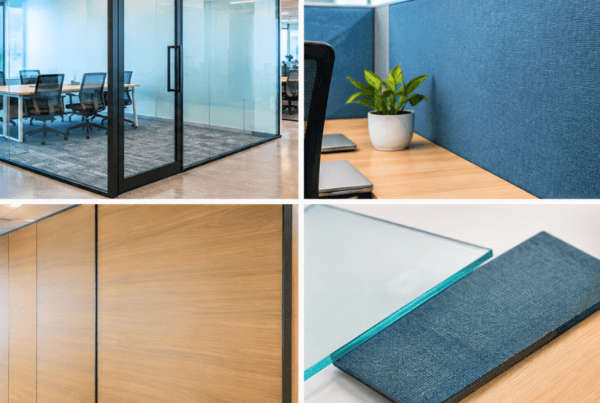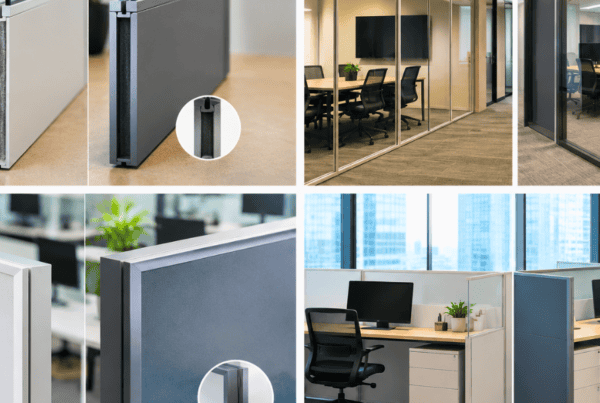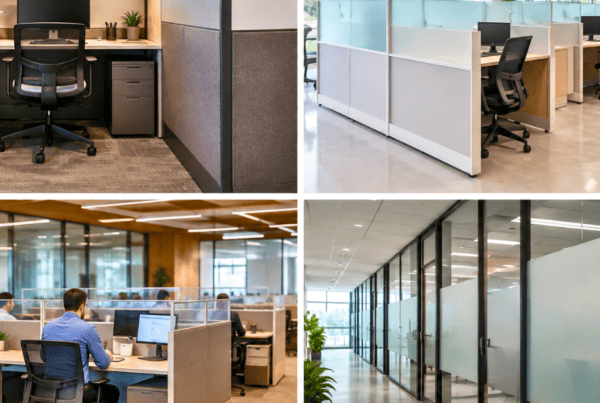

Walk into almost any office in India today, and beneath the polished desks and ergonomic chairs, you’ll find the same silent problem: a jungle of tangled wires, loosely draped power cables, and data lines snaking across the floor. It’s a problem most organisations learn to live with, until someone trips over a cable, an IT team spends hours tracing a fault, or a client walks in and notices the chaos.
Research from Princeton Neuroscience Institute has shown that visual clutter competes for our attention and significantly reduces the brain’s ability to focus and process information. In a workspace context, that clutter often starts right at the desk, and cables are one of the biggest contributors.
Cable Management in Modular Office Workstations refers to the systems, products, and design strategies used to route, conceal, and organise the cables associated with each workstation, power lines, data cables, monitor cords, charging ports, and more. As offices across Mumbai, Pune, Hyderabad, Bengaluru, and Ahmedabad continue to grow in scale and sophistication, the need for structured, professional cable management in office workstations has never been more urgent.
Modular office workstations, by their very nature, offer the ideal foundation for integrated, intelligent cable solutions. Unlike fixed furniture, modular systems are designed to evolve, and the best manufacturers build cable management into the structure itself.
In this guide, we’ll walk you through the types of cable management systems, why they matter for your business, and exactly what to look for when choosing or upgrading your office workstations.
Why Cable Management Matters More Than You Think
Most office managers treat cable management as an afterthought, something to address after furniture is installed, when the mess becomes too obvious to ignore. But the impact of poor wire management goes far beyond appearances. Here’s why it deserves serious attention.
Workplace Safety and Compliance
Trailing cables across floors are one of the most common causes of slip-and-fall accidents in office environments. In larger office setups, call centres, IT operations floors, open-plan corporate offices, the risk is multiplied across hundreds of workstations. Beyond trips and falls, improperly bundled cables generate heat, creating a genuine fire hazard in densely cabled areas.
Indian workplace safety regulations, including those under the Factories Act and IS standards for electrical safety, require that cable installations do not pose hazards to employees. Proper wire management for office desks ensures compliance, reduces liability, and creates a genuinely safer working environment.
Employee Productivity and Wellbeing
The link between a clean, organised desk and improved cognitive performance is well-documented. When employees sit down at a workstation cluttered with visible cables, their brain processes the mess as competing visual information, even unconsciously. Over time, this contributes to fatigue, reduced focus, and lower output.
Clean cable management also supports ergonomic workstation design. When cables are neatly routed and out of the way, employees have more usable desk surface, better freedom of movement, and less physical awkwardness when reaching for equipment. In an age where businesses are investing heavily in employee wellness, getting the workstation right matters.
IT and Infrastructure Efficiency
For IT teams managing large corporate environments, workstation cable management is an operational necessity. When cables are bundled and labelled correctly, troubleshooting connectivity issues takes minutes instead of hours. Replacing a faulty cable or reconfiguring a workstation becomes a quick task rather than a disruptive process.
In offices with hundreds of workstations, the kind that Vlite Furnitech manufactures for at scale, a well-organised cable infrastructure directly reduces IT downtime and the operational costs associated with it.
Professional Aesthetics and Brand Image
Your office is a physical expression of your brand. When clients, investors, or senior leadership walk through your workspace, first impressions form instantly. A sea of tangled wires under every desk signals disorganisation, regardless of how polished everything else looks.
Clean, cable-managed workstations communicate professionalism, attention to detail, and a culture that values quality. For client-facing offices in sectors like finance, consulting, law, and design, this isn’t a minor consideration, it’s a direct reflection of your brand.
Types of Cable Management Solutions for Office Workstations
Understanding the available solutions is the first step to making the right choice for your office. Here’s a comprehensive breakdown of the most commonly used systems.
Workstation Raceway
A workstation raceway is an enclosed channel, typically made from PVC or powder-coated steel, designed to route cables along desk surfaces, panel edges, or workstation frames. Cables are placed inside the raceway and hidden from view, creating a smooth, uncluttered exterior finish.
Raceways are especially effective in linear workstation rows, the kind found in call centres, back-office environments, and open-plan IT operations. They can be surface-mounted on panels or integrated directly into the workstation desking structure. Because they fully enclose the cables, raceways offer the cleanest visual finish of any cable management solution.
For high-density office layouts where dozens of workstations run in rows, a workstation raceway is usually the backbone of the entire cable management system.
Cable Tray for Workstation
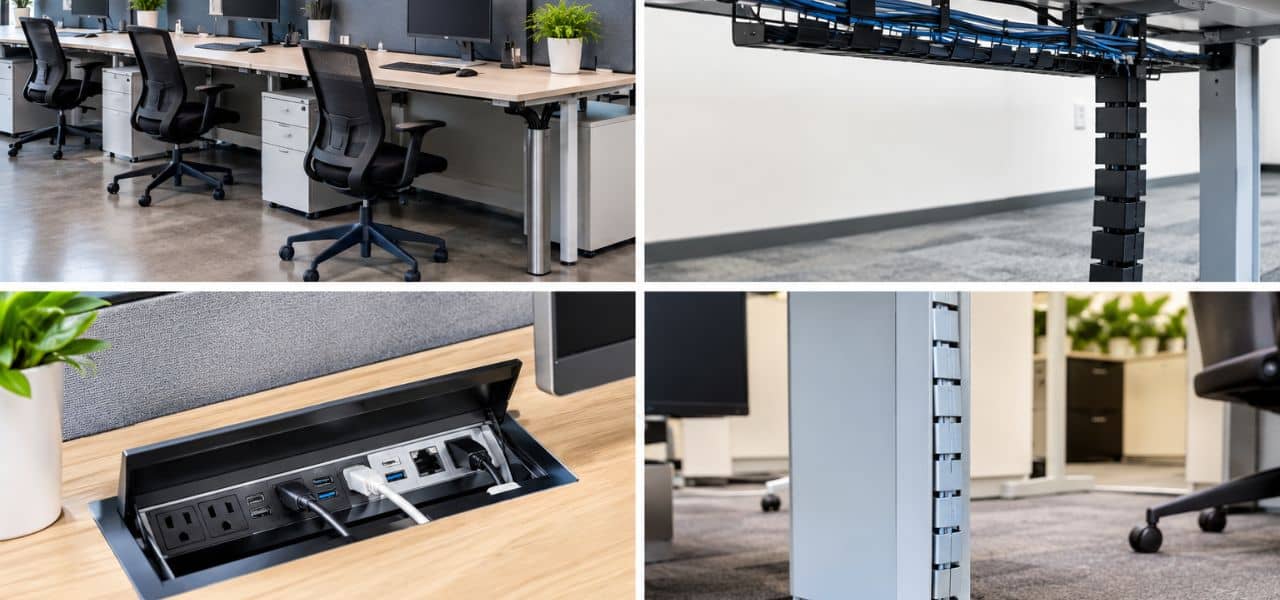
Where a raceway encloses cables, a cable tray for workstation use supports them in an open or mesh structure mounted beneath the desk. The cable tray holds bundled cables, power strips, data lines, adapters, off the floor and out of sight without fully concealing them.
Cable trays come in several forms: ladder trays (open rungs for easy access and maximum airflow), basket trays (fine mesh construction for mixed cable types), and solid-bottom trays (for heavier loads or cleaner visual lines). They’re particularly effective in workstations adjacent to server areas, or wherever cable volumes are high and accessibility is required.
A well-positioned cable tray for workstation use is one of the most practical investments an office can make, it’s accessible, scalable, and keeps cables off the floor where they become hazards.
Under-Desk Cable Spine and J-Channel
The J-channel is a flexible routing solution, a half-pipe shaped channel that attaches to desk legs, modular partition frames, or the underside of desk surfaces. It’s particularly valuable in sit-stand and height-adjustable workstations, where cables need to move with the desk without tangling or pulling.
Cable spines perform a similar function: a vertical drop from desktop to floor that bundles cables together in a single, contained column. For height-adjustable desks, increasingly common in modern Indian offices investing in ergonomic setups, the J-channel and cable spine are the go-to solutions for dynamic cable routing.
Grommets and Desk Pass-Throughs
A grommet is a simple but important feature: a clean opening in the desktop surface, typically circular, finished with rubber, ABS plastic, or brushed metal, through which cables pass vertically from desktop to the under-desk zone.
Without grommets, cables have to drape over the edge of the desk, which looks untidy and causes wear at the cable bend point. A well-placed grommet allows cables to drop cleanly from monitor, keyboard, and charging equipment straight down into a cable tray or raceway below.
At Vlite Furnitech, desk grommets are designed into workstation desktops as a standard feature, positioned based on typical workstation configurations to ensure optimal cable flow without any need for aftermarket drilling or modification.
Cable Boxes and Power Hubs
Power management at the workstation level is often overlooked. A cable box or power hub is an enclosed unit, typically under or on the desk, that houses the power strip, adapters, and converter blocks associated with each workstation. Instead of a cluster of plugs trailing out from under a desk, a cable box presents a single, tidy unit.
Power hubs are especially useful in hot-desking environments and collaborative workstations, where different users plug in different devices throughout the day. A fixed, enclosed hub keeps power access predictable and the desk surface clean.
Velcro Ties, Cable Clips, and Spiral Wraps
These are the supplementary tools that complete any cable management system, the final mile between a good setup and a great one. Velcro ties bundle multiple cables together without the permanent commitment of cable ties. Clips route cables along fixed paths on the underside of desks or along panel edges. Spiral wraps group multiple cables into a single tidy sleeve.
For offices retrofitting existing workstations without replacing furniture, these accessories are low-cost, high-impact interventions that can dramatically improve cable organisation. They’re also useful as part of a complete system, managing the last stretch of cable between the tray and the device.
How Cable Management is Integrated into Modular Workstation Design
There is a fundamental difference between cable management added to furniture and cable management designed into furniture. The former is always a compromise, an attempt to solve at installation what should have been addressed at the blueprint stage. The latter is what separates generic office furniture from genuinely engineered workstation desking.
In modular office workstations built with cable management in mind, several things happen by design rather than by accident.
Panel-integrated raceways are built into the vertical partition panels that define each workstation bay. Cables from the floor or ceiling enter the panel and travel horizontally through the raceway to each user position, invisible, accessible, and protected.
Desktop grommets are positioned not randomly, but in precise locations that match the layout of a typical workstation setup, so that monitor cables, keyboard connectors, and charging lines all drop cleanly into the cable management zone below.
Under-desk cable trays are factory-fitted to workstation frames, sized and positioned to carry the expected cable load for that workstation configuration. They’re not retrofit additions; they’re structural components.
Modular power modules, integrated sockets, USB ports, and data ports, are embedded directly into the workstation surface or panel, reducing the number of loose cables needed at each position entirely.
At Vlite Furnitech, cable management is engineered into every modular workstation at the design stage, ensuring a clean, future-ready workspace from day one. With a production scale of over 14,000 workstations per month and an in-house design team that works from initial concept to final manufacturing, cable pathways are mapped and validated before a single desk reaches the office floor.
This approach, designing out the cable problem rather than solving it after installation, is what makes modular office workstations from a quality manufacturer fundamentally different from standard commercial furniture.
Key Factors to Consider When Choosing a Cable Management System
Not every office has the same needs. Choosing the right cable management system requires an honest assessment of your specific environment.
Workstation Layout and Configuration
The physical layout of your office has a direct bearing on which cable management solutions work best. Linear workstation rows running wall to wall suit panel-integrated raceways that carry cables horizontally across the entire run. L-shaped or cluster pod configurations require more localised solutions, under-desk trays and grommets per pod rather than a single long raceway.
The number of workstations per row also affects raceway sizing, a run of ten workstations generates more cables passing through a shared raceway than a row of four, and the duct sizing must account for this from the outset.
Cable Volume and Device Load
Count the cables per user: monitor, CPU or laptop, keyboard and mouse, phone, charger, headset, and any additional peripherals. In a standard corporate workstation, this is typically six to ten cables per position. Multiply that across your workstation count and it quickly becomes clear why the capacity of your cable tray for workstation use matters enormously.
More importantly, plan for growth. An office configured for today’s device load may need to accommodate additional monitors, video conferencing equipment, or IoT devices within two to three years. Choose systems that have capacity headroom built in.
Accessibility Requirements
How often will cables need to be connected and disconnected at each position? In a fixed-desk environment where each employee has a permanent workstation and consistent equipment, a closed raceway that conceals cables entirely is perfectly practical. In hot-desking or flexible-seating environments where users bring their own devices and plug in daily, an open cable tray or accessible power hub is more appropriate.
Aesthetics and Brand Alignment
Cable management systems are available in a range of finishes, white, grey, black, silver, and custom colours. In a well-designed office, the cable management components should be colour-matched to the workstation finish so they read as part of the furniture rather than as an addition to it.
For high-spec client-facing offices, fully concealed solutions are worth the investment. For operational environments where accessibility matters more than visual perfection, visible but organised systems are entirely appropriate.
Budget and Scalability
Integrated cable management, built into the workstation at manufacture, carries a higher upfront cost than retrofitting aftermarket accessories. However, it saves significant time and cost at installation, reduces ongoing maintenance burden, and produces a substantially better result. For offices being fitted out from scratch, the integrated approach almost always delivers better value over the workspace’s lifetime.
For offices with existing furniture, a layered retrofit approach, under-desk trays, clip-on raceways, Velcro management accessories, can deliver meaningful improvement at manageable cost.
Cable Management Best Practices for Office Managers and Designers
Whether you’re fitting out a new office or improving an existing one, these practices will ensure your cable management is effective, safe, and maintainable.
Plan cable routes before furniture is installed. Work with your workstation manufacturer to map cable pathways during the design phase, it is significantly easier and less expensive to design a cable route into a workstation plan than to solve it once furniture is in place.
Label every cable at the point of installation. In large office environments with hundreds of workstations, cable labelling is the difference between a two-minute fix and a two-hour investigation when something goes wrong.
Use colour-coded cable ties to distinguish cable types. A consistent system, such as red for power, blue for data, and yellow for AV, makes it immediately obvious what each bundle contains without having to trace cables to their source.
Bundle cables loosely. Over-tightening cable ties or packing cables too tightly into a raceway causes heat buildup and, over time, cable jacket damage. Cables should be grouped and contained, not compressed.
Combine raceway and tray systems for multi-level cable management. A workstation raceway handles inter-desk horizontal routing; an under-desk cable tray for workstation use manages the bundle at each position. Using both together gives you a complete, layered solution.
Schedule a quarterly cable audit. Offices change, people move, equipment is updated, and redundant cables accumulate. A simple quarterly review to remove unnecessary cabling keeps the system clean and ensures it doesn’t gradually revert to chaos.
Partner with a furniture manufacturer that integrates cable management into the workstation design from the outset. This single decision has more impact on the long-term cleanliness and functionality of your office infrastructure than any aftermarket accessory.
Why Integrated Cable Management is the Future of Workstation Desking
The nature of the modern office is changing, and cable management must change with it.
The rise of hybrid working has accelerated the adoption of hot-desking and activity-based working models. Employees no longer have a fixed desk for life; they move between workstations, collaboration zones, and focus areas throughout the week. This means cable management systems need to be flexible, standardised, and easy to use without an IT escort at every session.
Simultaneously, sit-stand height-adjustable desks are becoming standard rather than premium in quality office environments. These desks introduce a new challenge: cables must travel with the desk as it moves between sitting and standing heights. Fixed raceways cannot accommodate this. Flexible J-channels, retractable cable spines, and wireless-first device strategies are all part of the response.
The growth of smart offices, with IoT sensors, video conferencing infrastructure, and networked environmental controls, is multiplying the device count at each workstation even as manufacturers work toward reducing the need for physical cables. In the near term, the cable load per position is likely to increase before it decreases.
There is also a sustainability dimension. Properly managed cables last longer, they experience less physical stress, run at lower temperatures, and are protected from damage. This reduces the rate of cable replacement, contributing to less electronic waste over the lifetime of the installation. Vlite Furnitech’s commitment to sustainability, evidenced by BIFMA certification, ISO 9001:2015 manufacturing standards, and LEED-compliant production processes, reflects the recognition that responsible office furniture manufacturing includes the long-term lifecycle of every component.
Integrated workstation desking, where cable management is a designed feature, not an accessory, is the standard that modern offices should demand.
Still comparing modular, bespoke, and traditional office furniture?
Let Vlite Furnitech LLP help you choose the smartest investment for better ROI.
Frequently Asked Questions
What is a workstation raceway and how does it work?
A workstation raceway is an enclosed channel, typically made from PVC or metal, that routes cables along or within desk panels and surfaces. Cables sit inside the raceway, fully hidden from view. Raceways can run horizontally across workstation rows or vertically along panel frames, and in quality modular workstations they are integrated into the panel structure itself rather than surface-mounted as an afterthought.
What is the best cable management solution for an open-plan office?
For open-plan environments, a combination approach works best. Panel-integrated raceways handle inter-desk horizontal cable routing. Under-desk cable trays for workstation use manage the bundle of cables at each individual position. Desktop grommets provide clean vertical access from the desk surface down into the cable management zone. Together, these three elements form a complete, layered solution.
Can cable management be added to existing office workstations?
Yes, aftermarket clip-on cable trays, J-channels, adhesive cable clips, and Velcro management accessories can all be used to improve cable organisation on existing furniture. However, integrated solutions designed and manufactured into the workstation from the start are always cleaner, more durable, and more effective. If you’re replacing or expanding workstations, integrated is the preferred approach.
How does a cable tray for a workstation differ from a raceway?
A raceway is a closed, enclosed channel, cables go inside and are fully hidden. A cable tray is an open or mesh basket that supports cables but keeps them accessible. Raceways suit environments where visual cleanliness is the priority; cable trays suit environments where cable volume is high and regular access is needed.
Does Vlite Furnitech offer built-in cable management in their workstations?
Yes. All Vlite Furnitech modular workstations are engineered with integrated cable management as standard, including desktop grommets, under-desk cable trays, and panel raceways built into the workstation structure. Cable management is addressed at the design and manufacturing stage, not added on after delivery.
Why is wire management important for office desks?
Wire management for office desks addresses four critical business needs simultaneously: safety (eliminating trip hazards and fire risks from improperly bundled cables), productivity (reducing visual clutter that impairs employee focus), IT efficiency (making cables easy to trace, maintain, and replace), and professional appearance (ensuring the office environment reflects the quality of your brand).
Build a Cleaner, Smarter Workspace with Vlite Furnitech
Cable management is not a finishing touch. It is a foundational element of how a modern office functions, affecting safety, productivity, IT efficiency, and the professional image your workspace projects to everyone who enters it.
The three core takeaways from this guide are straightforward. First, cable management is essential, not optional, for any office that takes its operational standards seriously. Second, integrated solutions built into the workstation at the manufacturing stage are consistently superior to retrofit approaches in every meaningful measure. Third, the choice of office furniture partner shapes every aspect of how well your cable management actually works in practice.
Explore Vlite Furnitech’s range of modular office workstations with built-in cable management solutions, designed, engineered, and manufactured in India for offices that demand quality at every level. Or talk to our design team to plan your next office setup from the ground up.